Cutting cable is easy if all you mean is canceling a bill. Replacing the parts you actually used takes more thought.
A personal Plex setup can cover on-demand viewing. Virtual channels can bring back a guide and the habit of flipping until something catches your attention. An antenna can add local broadcasts. No single product does every one of those jobs for every household.
This guide separates the pieces so you can build only what you need. I built Bunny Ears TV, which appears below, and I will call out that interest plainly.
Decide What You Are Replacing
Cable bundled several different experiences:
- A time-based guide
- Themed channels
- Local news and broadcast events
- Background television
- Recording and time shifting
- One remote pointed at one screen
Write down the two or three pieces your household still misses. If the real problem is choosing from a large personal library, a tuner will not fix it. If live local news is essential, a virtual channel made from movies will not replace it.
Use Plex for the Library
Plex Media Server organizes personal movies, television, music, and other supported media, then makes those libraries available to player apps.
For virtual channels, library quality matters more than raw size. Genre, year, content rating, collections, playlists, and naming all influence what a channel tool can build. Clean the obvious metadata errors and make sure each household profile can see the right libraries.
Local personal-media playback can work with a free Plex account. Remote video playback now has account requirements in some cases. Plex documents when a server owner or viewer needs Plex Pass or a Remote Watch Pass in its remote playback requirements, last modified by Plex on April 10, 2026 and reviewed here July 27, 2026.
Pick the Screen and Network
Bunny Ears TV is native on Apple TV, iPhone, and iPad. On television it requires Apple TV 4K, first generation or newer, running tvOS 26. The mobile apps require iOS 26 or iPadOS 26.
Other channel systems can feed a wider range of IPTV clients. That may matter more than convenience if your home uses Roku, Fire TV, Android TV, or web players.
A wired connection is useful for high-bitrate local video when both the player and network hardware support it. Wi-Fi can work well too. Playback results still depend on the server, media format, connection route, device, and quality settings.
Add Broadcast TV Only If You Need It
An antenna can receive local over-the-air stations where signals are available. Reception depends on geography, building materials, antenna placement, and local transmitters. The FCC offers an official DTV reception map for a first check.
A compatible network tuner can make those stations available to supported software. Plex recording requires the applicable Plex features and hardware. Channels DVR can also combine tuner sources with its own server and apps.
Bunny Ears TV does not receive, record, or redistribute over-the-air broadcasts. Its DVR controls apply to the scheduled channel experience built from your Plex media.
Turn the Library Into Channels
There are three practical approaches.
Use Bunny Ears TV on Apple devices
Bunny Ears TV connects to the Plex server and libraries you choose, then builds more than 400 built-in channels across 17 packages. The total includes 68 Radio stations.
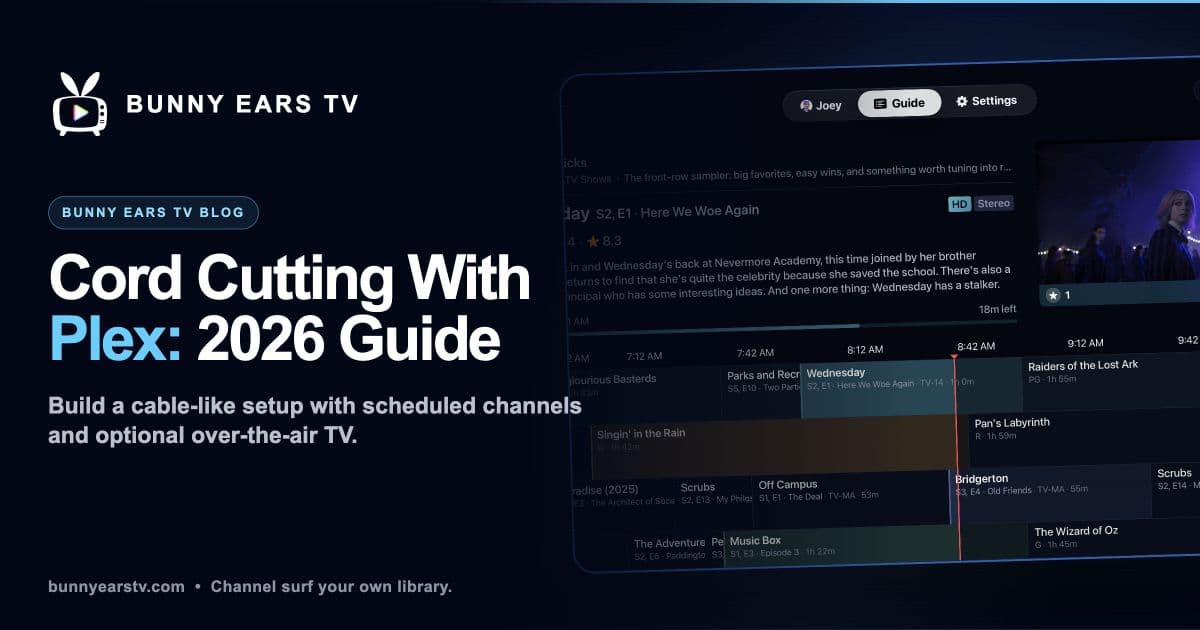
The app includes a time-based guide, Channel Surfer, favorites, filters, profiles, custom channels, DVR controls, Music Video Mixtapes on channel 19, and Weather on channel 20. Exact availability depends on the free or Plus entitlement and on whether your Plex libraries contain eligible media.
I built it for the night when a good library still feels like too much choice.
Basic includes 26 channels and does not expire. Current US Plus prices, reviewed July 28, 2026, are $4.99 monthly, $29.99 annually, or $99.99 for lifetime access. Eligible customers can receive a 14-day introductory offer on monthly or annual plans.
Start with the Bunny Ears TV feature guide or inspect the channel lineup.
Run a self-hosted channel server
ErsatzTV and Tunarr create channel streams that can be consumed by compatible IPTV clients. They offer deeper server-side scheduling than Bunny Ears TV and can fit homes with mixed playback devices.
Both projects offer more than one install route. ErsatzTV documents Docker and native packages. Tunarr documents Docker and standalone binaries. Their official pages were reviewed July 27, 2026.
This route gives you more control over playout and delivery. It also adds another service to configure and maintain.
Use Channels DVR for a broader television system
Channels DVR combines a dedicated server with client apps and is designed around live sources, recording, and personal media. Its official subscription page lists $8 monthly or $80 yearly, reviewed July 27, 2026. See Channels subscription details.
It makes the most sense when its live-TV and whole-home DVR jobs are part of the plan, not only virtual channels.
For a closer tradeoff comparison, read ErsatzTV vs. DizqueTV vs. Tunarr vs. Bunny Ears TV.
Give Music Its Own Place
A Plex music library can replace the old habit of leaving a cable music channel on in the background.
Bunny Ears TV includes 68 Radio stations inside its more-than-400 built-in total. Stations use selected Plex music libraries and music metadata. On iPhone and iPad, supported audio can continue in the background and publish track information to system controls.
Plexamp is another useful companion for deliberate album and music-library listening. Plex describes which music features are free and which need Plex Pass in Plex: Free vs Paid, reviewed July 27, 2026.
Budget by Component, Not by a Perfect Total
A permanent “complete setup cost” becomes wrong as soon as a vendor, tax rate, antenna, tuner, or App Store region changes.
Use current official prices for the pieces you actually need:
- Plex Media Server and local personal-media playback can be free, with optional paid Plex features.
- Bunny Ears TV Basic has 26 free channels. Current US Plus choices are $4.99 monthly, $29.99 annually, and $99.99 for lifetime access.
- Channels DVR currently lists $8 monthly or $80 yearly.
- Infuse currently lists Pro at $1.99 monthly, $16.99 yearly, or $99.99 lifetime on its official pricing page, reviewed July 27, 2026.
- Antenna, tuner, storage, and networking costs depend on the hardware and home.
Check every price again before buying. Introductory offers, taxes, and regional storefronts can change the amount you see.
Know What This Setup Does Not Solve
A personal library does not create live sports, breaking news, award shows, or newly licensed cable programming. An antenna only receives stations available at your location. Remote playback can add bandwidth, account, and server constraints.
Virtual channels also inherit the limits of the library. A small collection will repeat sooner. Bad ratings can weaken family filters. A format that plays directly on one device may need Direct Stream or transcoding on another.
Those are manageable tradeoffs when the goal is specific: spend less time shopping your own catalog and more time watching it.
A Sensible Starting Point
Begin with the Plex server and hardware you already own. Try one broad playlist. If scheduled discovery changes the way you watch, test a channel tool before adding a tuner or a second server product.
Bunny Ears TV's 26-channel Basic package is there for exactly that test. You do not need to build the whole cord-cutting stack in one weekend.