Channel surf your own library
Stop scrolling.
See what's on.
Bunny Ears TV turns your Plex movies, shows, and music into channels with a live program guide. Install the app, sign in with Plex, and start surfing. No Docker, IPTV playlist, or separate server software.
Native on Apple TV, iPhone, and iPad. The 26-channel Basic package stays free.
400+
Built-in channels
68
Radio stations
26
Always-free channels
Thousands
Community members
Everyone gets a real channel lineup before paying anything.
The 26-channel Basic package covers a wide range of viewing moods and genres. It includes Music Video Mixtapes on channel 19 and Weather on 20. There is no countdown, forced trial, or plan required to keep using it.
Basic package
Plus adds the premium packages and supports continued independent development. Current paid plans include Apple Family Sharing.
The part cable got right
Something is already on again.
Your Plex library has plenty to watch. The hard part is picking one thing after a long day.
Bunny Ears TV schedules the media you already own across more than 400 built-in channels. Open the guide, hear the preview, and move through what is on now. Join a movie halfway through or stay for whatever comes next.
The app does not provide movies, shows, or live broadcast feeds. Every program comes from the Plex server and libraries you choose.
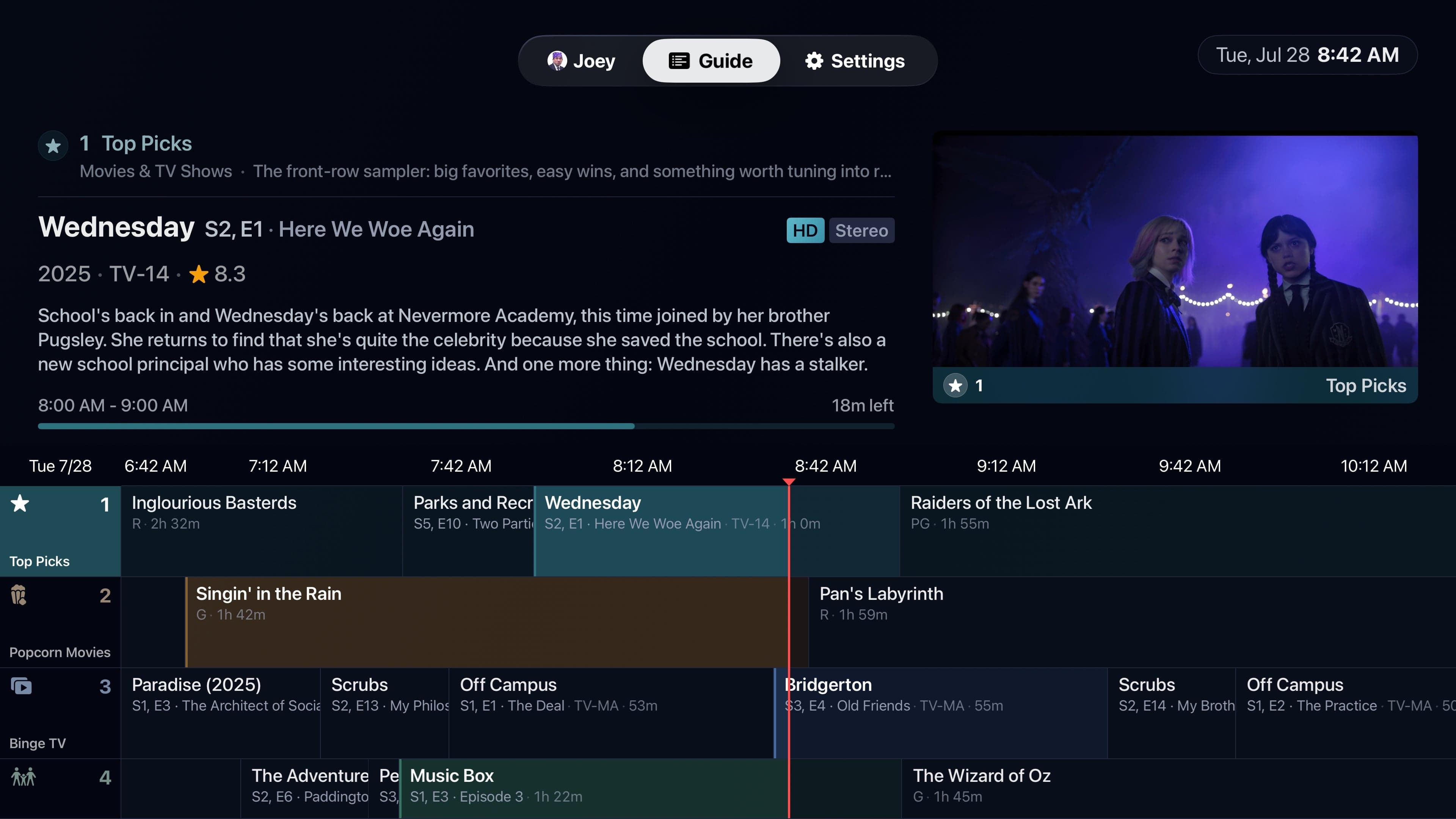
Browse, then tune
The Channel Surfer keeps the current program playing while you look. Pick a destination when something catches you.
See how Channel Surfer works →Join live
Programs start at the point implied by the clock, so the schedule feels shared and already in motion.
Your station, your rules
More than a row of genre filters.
The built-in lineup covers broad favorites and deep cuts. When you want something specific, turn a Plex source into a channel of its own.
Channel 19
Make a music video channel
Choose Plex playlists, collections, or video libraries. Music Video Mixtapes can add Song IDs, fresh releases, artist spacing, and short spotlight sets.
Learn more →Channel 20
Check the weather without leaving TV
Weather on 20 combines local Apple Weather data, forecasts, changing conditions, and an optional soundtrack from your Plex music library.
Learn more →Channels 700-999
Program the channels you wanted
Build up to 300 custom channels from a Plex playlist, collection, or library. Set the order, color, icon, and episode rhythm.
Learn more →Bunny Ears TV+
Put your own station breaks between programs
Ad Bumpers turn Plex playlists, collections, or video libraries of short clips into reusable breaks. Bunny Ears TV never inserts third-party ads.
Learn more →Built for how television is actually used
The big features solve the moments around playback, too.
Choosing the channel is only the start. Households need profile boundaries, phones need different network behavior, and a late-night channel change should not light up the room.
Channel Surfer
CHLook around without leaving the current scene.
A compact previous, current, and next-channel stack appears over full-screen playback. Browse while the program keeps going, then select the channel you actually want.
Read the feature story →Profiles and PINs
PINGive each person a guide that fits.
Use Plex Home names and avatars, four-digit PINs, age-aware restrictions, and managed-profile protections for household settings.
Read the feature story →Background Audio
BGKeep Radio and shows playing while you are out.
On iPhone and iPad, eligible audio can continue through headphones, speakers, AirPlay, or a connected car audio route, with system Now Playing controls.
Read the feature story →Playback and streaming
AUTOKeep local quality high. Adapt when the route changes.
Compatible media can Direct Play on healthy local Wi-Fi or Ethernet. Remote, Relay, cellular, or constrained routes can use Direct Stream or a Plex transcode when needed.
Read the feature story →Broadcast details
FXNight Mode for TV static, a VHS pause, and sounds with character.
Static can be set to Auto, Day, Night, or Off. DVR Mode adds a tape-like pause effect, while Subtle and Full sound sets add clear interface feedback.
Read the feature story →One app family
Your channels belong on Apple TV, iPhone, and iPad.
Use a television-scale guide and Siri Remote in the living room, then pick up the same kind of lineup with touch, portrait and landscape layouts, cellular quality profiles, and background audio on iPhone and iPad.
A Plex server shared to your account can also power Bunny Ears TV. Set up a relative's Apple TV, a protected profile on a child's iPad, or your own phone. Each setup selects one server at a time.
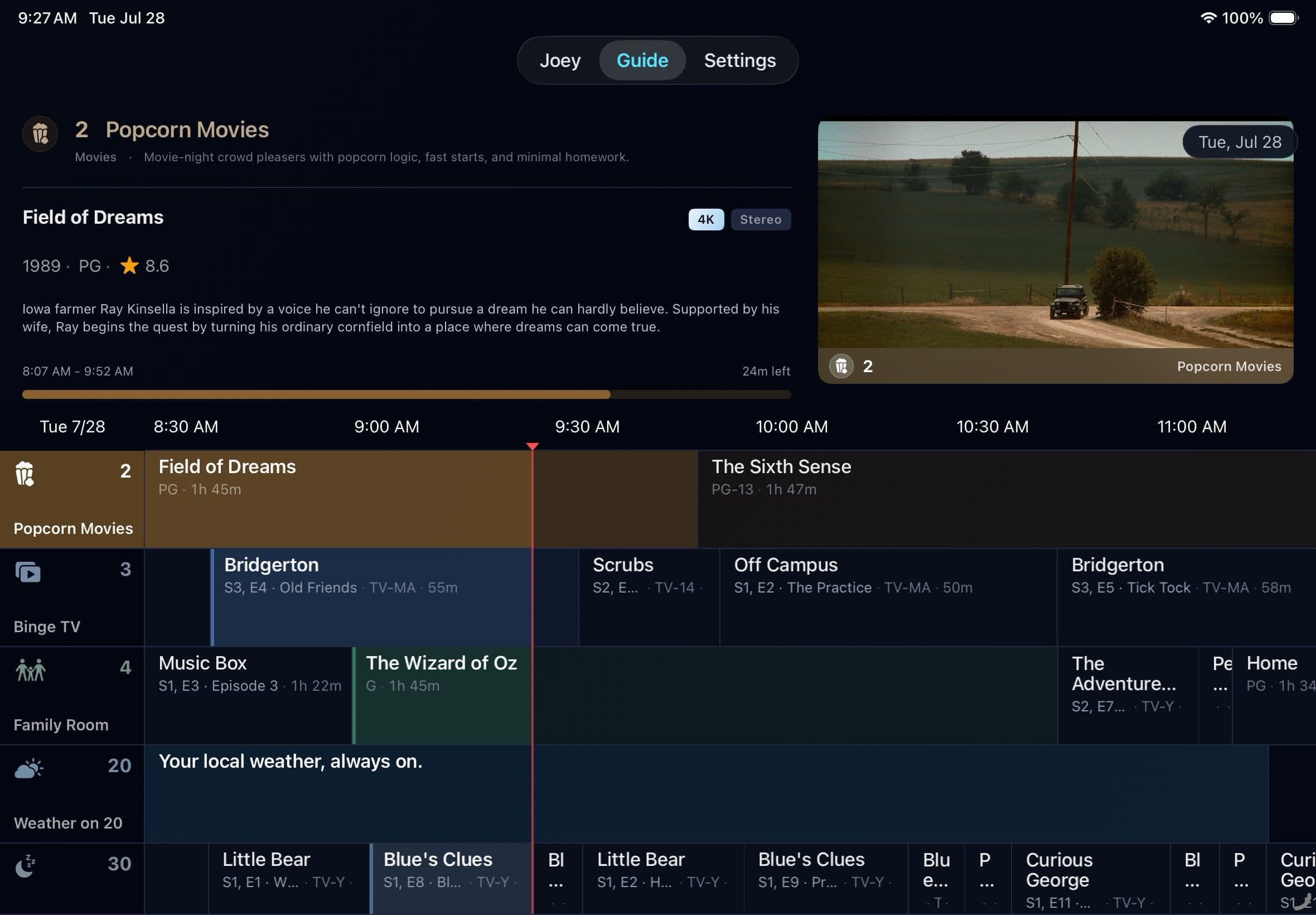
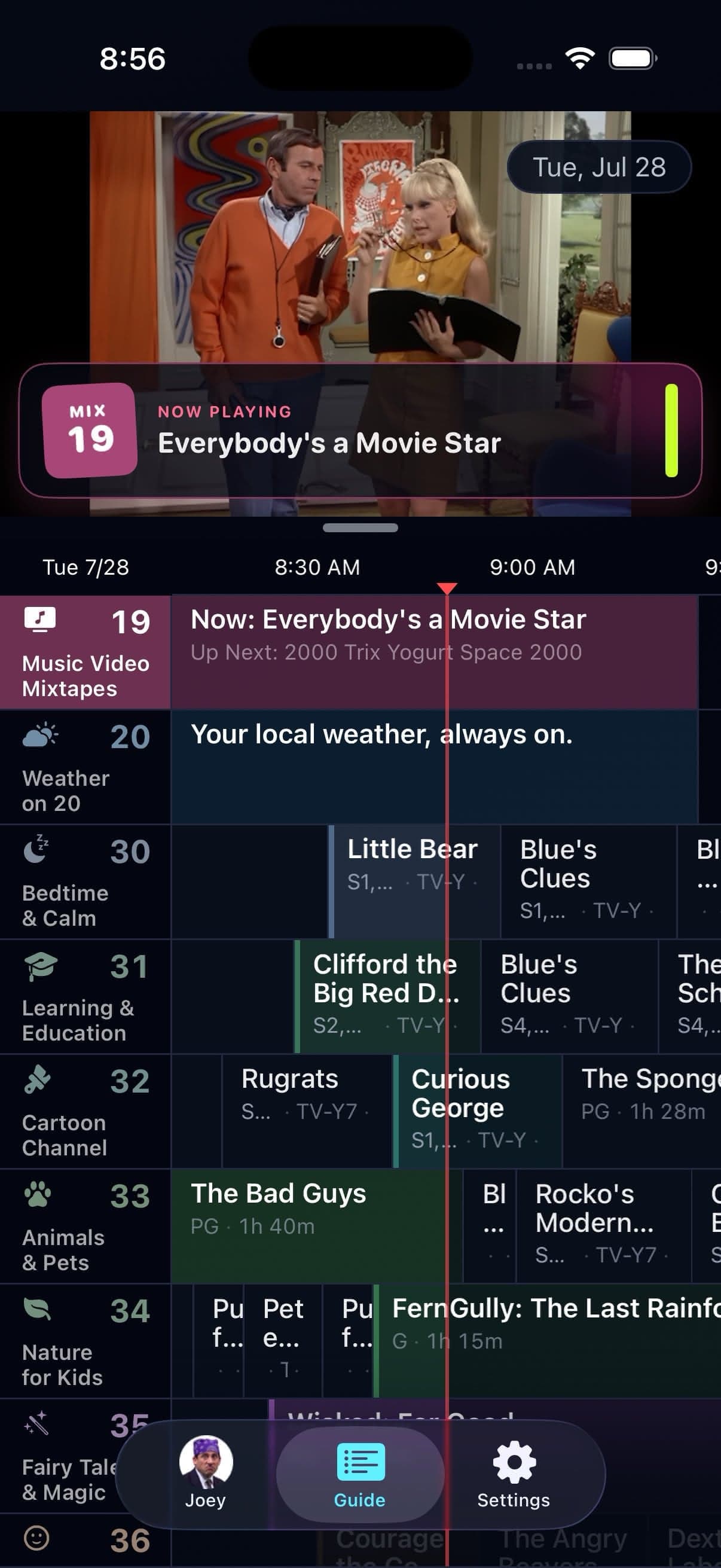
Apple TV, iPhone, and iPad
Native layouts built for the screen and controls in front of you.
Playback that respects the route
Home Wi-Fi and a cellular connection should not share one quality rule.
Keep separate Video and Audio quality choices for Wi-Fi, Ethernet, Cellular, and 5G Cellular where the device supports them. Auto considers the route in use instead of lowering every stream for the worst possible connection.
The player does not add a delivery-path badge. This diagram explains what can lead to Direct Play, Direct Stream, or a Plex transcode.
Playback path
Auto starts with the conditions in front of it.
Direct Play
Compatible file and a healthy route
Direct Stream
Compatible streams need a different container
Plex transcode
The format or available bandwidth needs help
And so much more.
Small controls that make the guide easier to live with.
These are the things you notice after the novelty wears off: fewer trips through Settings, a subtitle track where you expect it, and a quiet way to recover when the room or route changes.
Quick Menu
Long-press Select or a channel to reach Settings, profiles, Favorites, My Channels, and package filters.
DVR Mode
Pause, skip 15 seconds, restart, scrub with Plex thumbnails when available, then jump back to live.
Audio and subtitles
Choose tracks, embedded or Plex-exposed sidecar subtitles, preferred languages, size, and surround output.
Guide preview
Inspect another program while the tuned channel keeps playing. Mute the preview separately when the room needs quiet.
Whole-home sync
Keep eligible guide state, packages, Favorites, custom channels, and bumper settings aligned through iCloud.
Display controls
Choose HDR behavior on capable hardware, plus Apple TV refresh-rate and channel-direction preferences.
Audio sync calibration
Adjust timing for a television, receiver, soundbar, or route that needs a small correction.
Privacy boundaries
Your catalog stays on the selected Plex server, and local classification does not upload it for matching.
No weekend server project
Plex does the hosting. Bunny Ears TV does the programming.
- 1Install Bunny Ears TV from the App Store.
- 2Link your Plex account and choose a server and libraries.
- 3Let the app build the first eligible lineup, then start surfing.
First tune
From download to guide.
- 01
Install
Apple TV, iPhone, or iPad
- 02
Link Plex
Choose a shared or personal server
- 03
See what is on
The first eligible lineup builds in the app
A community of thousands
Come talk Bunny Ears TV.
Thousands of people are already part of the Bunny Ears TV community. Use Reddit for App Store discussion, or join the beta Discord to talk through TestFlight builds and what comes next.
Talk with the wider community.
Ask questions about the App Store release, share channel setups, and trade tips with people using Bunny Ears TV in their own Plex libraries.
Visit r/bunnyearstvHelp shape the next build.
Discuss TestFlight builds, report beta bugs, compare early changes, and help me improve the next version before it reaches the App Store.
Join the beta DiscordTry the Basic package first
You already built the library. Make it feel like television.
Download Bunny Ears TV and keep the 26 Basic channels without a time limit. Bunny Ears TV+ adds every premium package, DVR Mode, Custom Channels, and Ad Bumpers. Current paid plans include Family Sharing and help fund continued independent development.