Now, earlier, later
The guide keeps four hours of history and 28 hours ahead, then extends before the future window runs out.
A schedule for the library you already own
A personal library becomes television when the clock matters. Bunny Ears TV schedules eligible movies, shows, music, custom stations, and utility channels into a guide that is already moving when you arrive.
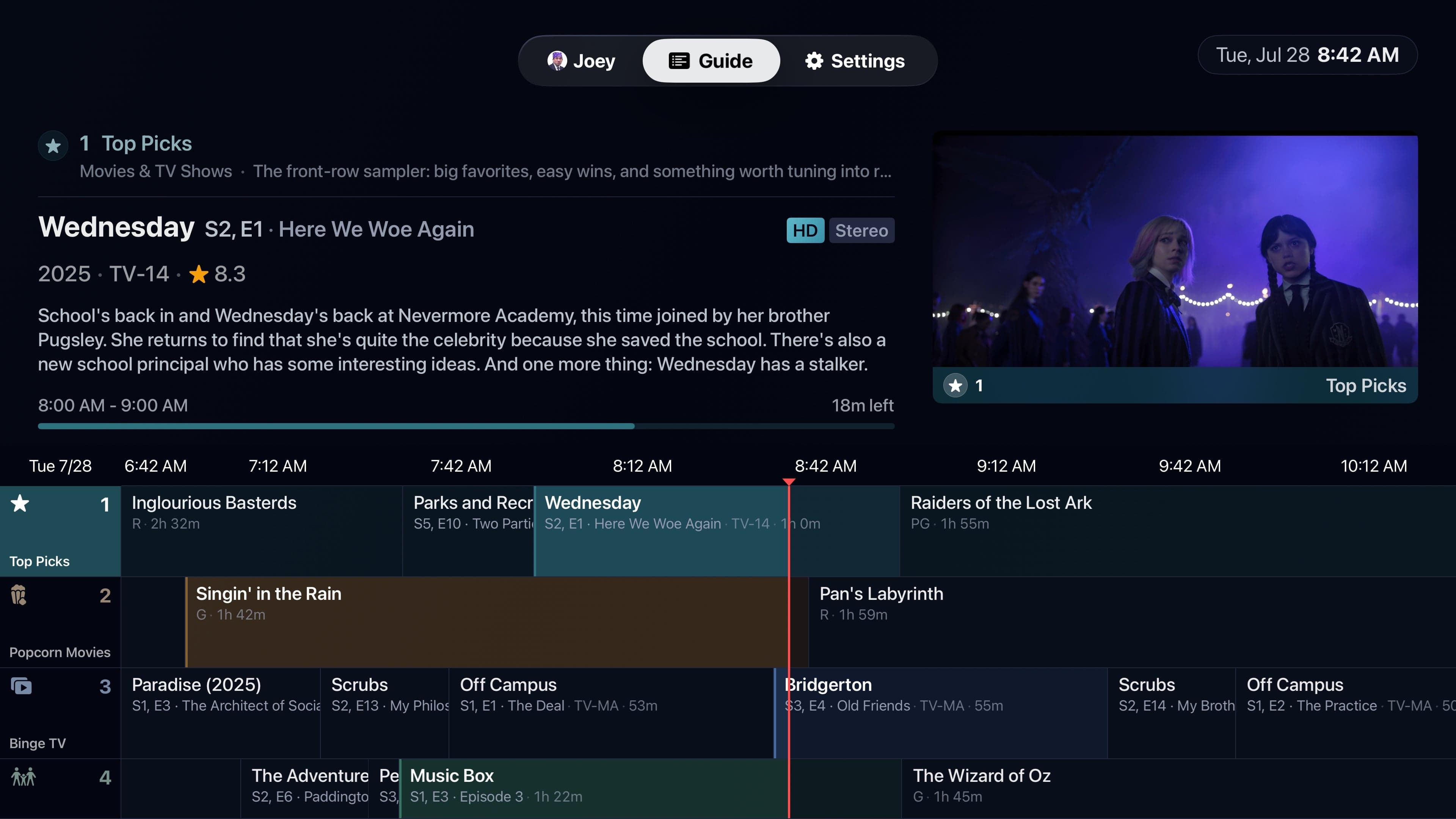
The guide keeps four hours of history and 28 hours ahead, then extends before the future window runs out.
Move through programs to inspect titles, artwork, ratings, timing, and media details while the tuned channel continues in preview.
Favorites, package filters, My Channels, profile rules, and number, name, or category sorting keep hundreds of channels useful.
In the app
Signal 01
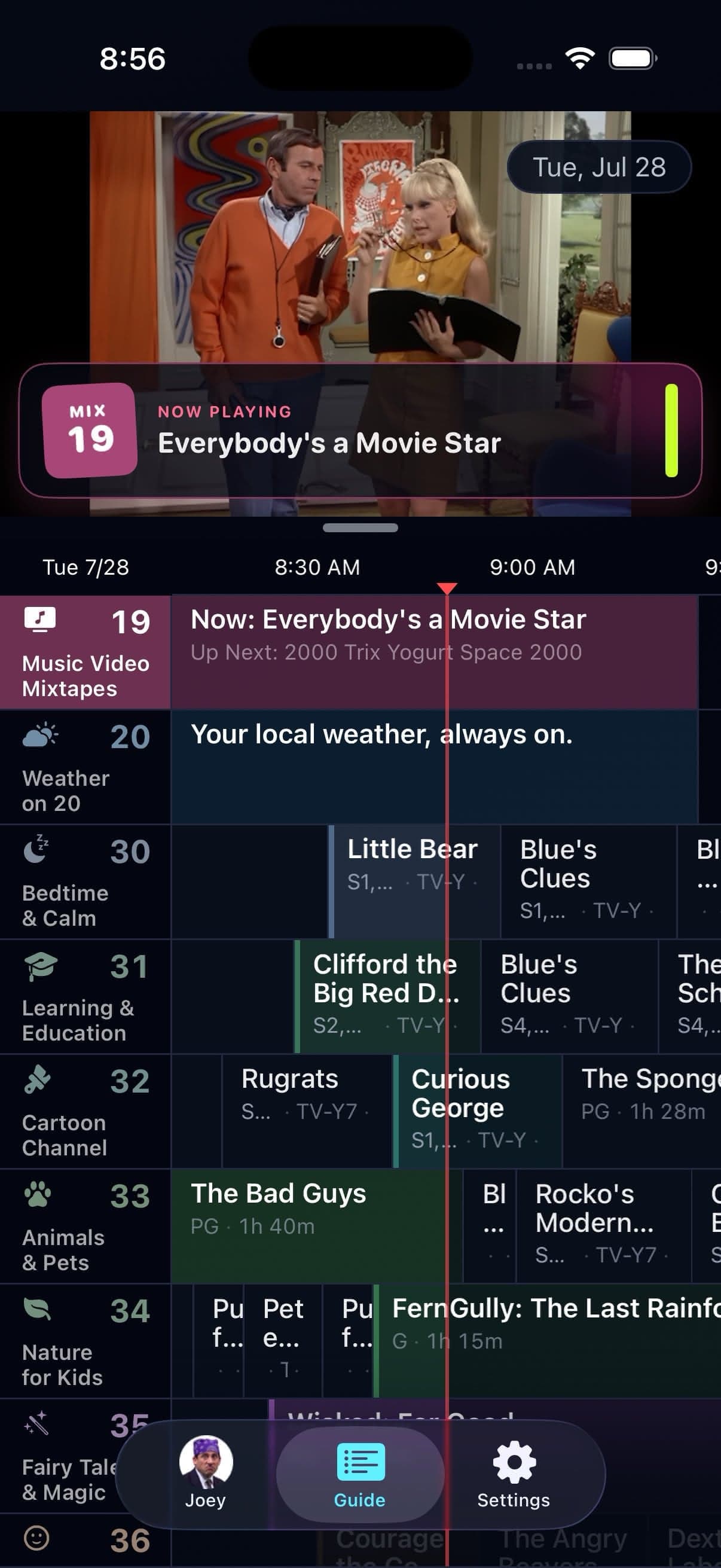
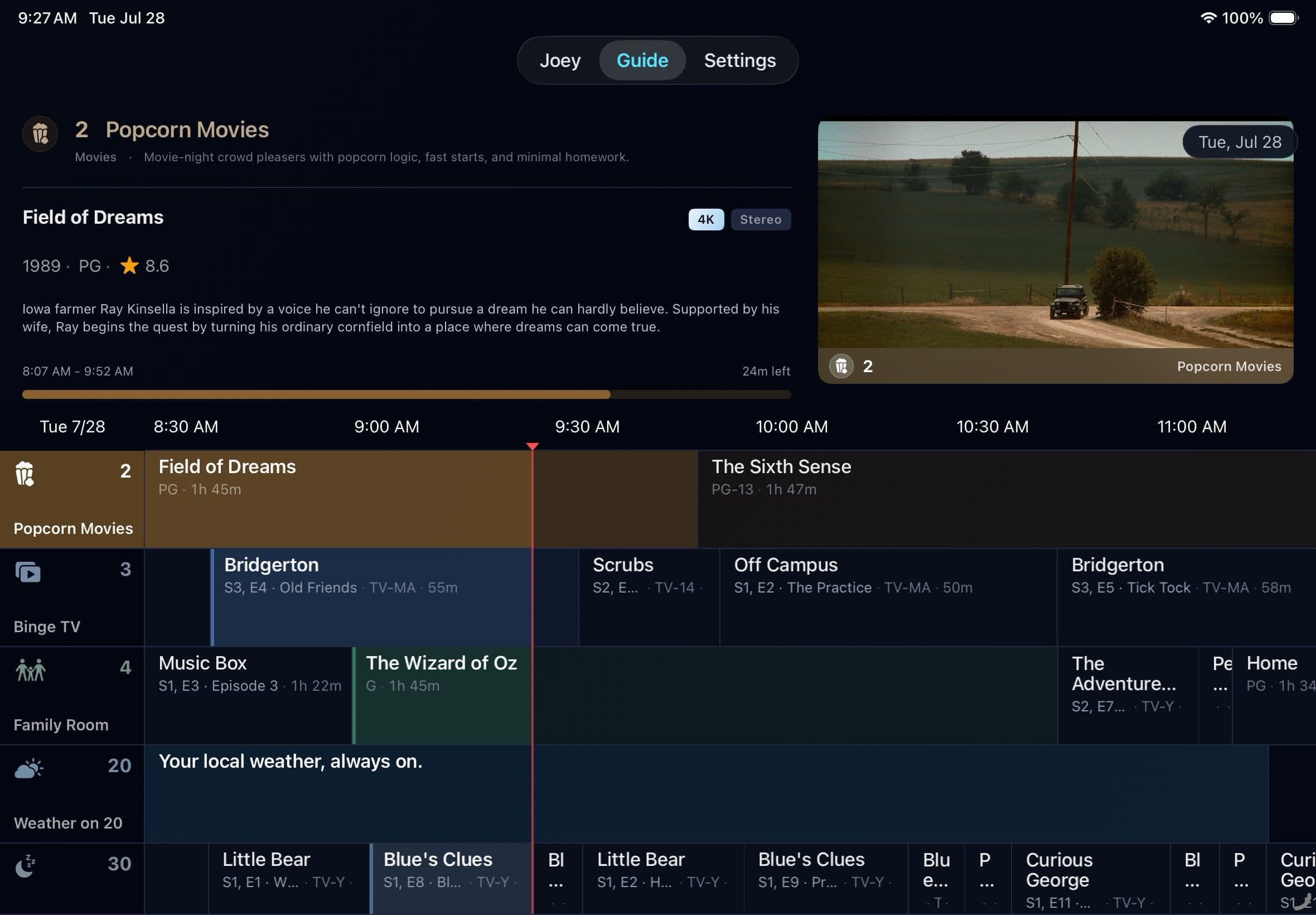
Programs occupy real time slots. Tune into a movie halfway through, catch the start of the next episode, or use DVR controls when you want to step outside the live position. The guide can show selected past and future programs when the media and DVR context allow them.
A red Now line, focused program details, and highlighted cells make the schedule legible without turning every choice into a poster wall.
Signal 02
Built-in channels reflect eligible content in the selected Plex libraries. Empty channels can be hidden. Profile restrictions can remove programs or entire rows when the active viewer should not see them.
The full channel directory explains the programming promise behind every built-in channel. The exact titles on screen are always yours.
Good to know
Bunny Ears TV does not provide movies, shows, live broadcast feeds, or an IPTV service. The guide schedules eligible media from the selected Plex server, with Apple Weather powering channel 20.
Quick answers
It keeps four hours of history and 28 hours ahead, then extends before the future window runs out.
Yes. Guide previews are audible by default and can be muted separately in Guide settings.
Keep looking
Changing channels should not mean backing out to a wall of posters. Channel Surfer puts a compact mini guide over full-screen playback so you can look around while the current program keeps going.
HOLDA large lineup needs shortcuts. Press and hold Select in the Apple TV guide, or long-press a channel on iPhone and iPad, to open the Quick Menu without climbing back through the interface.
700The built-in lineup handles broad moods and familiar genres. Custom Channels are for the shelf only you would program: a comfort-show loop, a director marathon, family home videos, or October horror.
The 26-channel Basic package is free forever. Bunny Ears TV+ adds more channels, more features, and more fun. Download the app to start watching.