TV Static Night Mode
Choose Auto, Day, Night, or Off. Night Mode softens the flash and contrast when you are channel surfing in bed.
The little pieces that sell the illusion
The screen between channels matters. Bunny Ears TV treats static, pause effects, and interface sound as useful feedback first, then gives them enough throwback character to make the app feel like television.

Choose Auto, Day, Night, or Off. Night Mode softens the flash and contrast when you are channel surfing in bed.
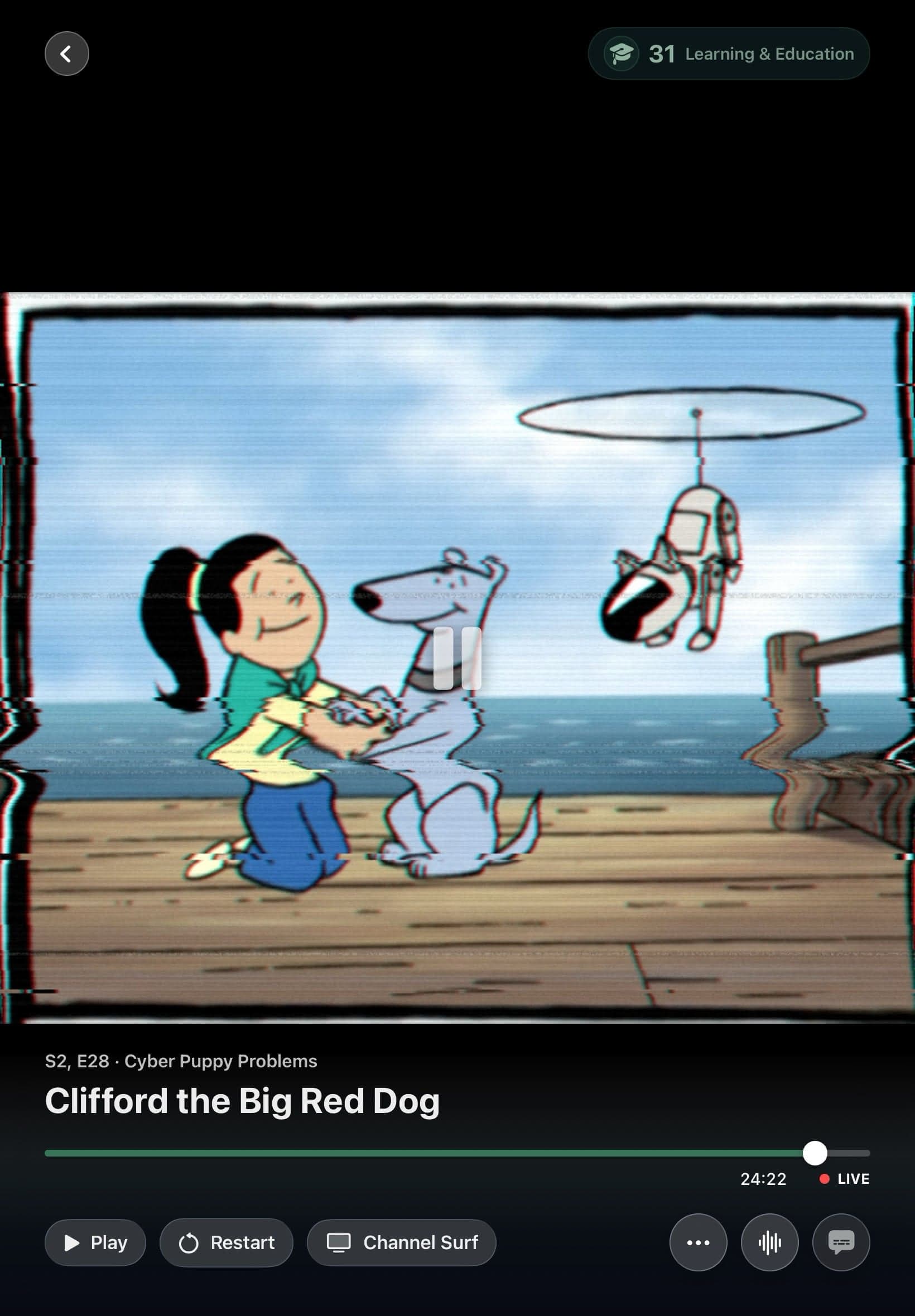
DVR Mode can freeze the current frame under a tape-like static treatment while the live schedule keeps moving.
Off, Subtle, and Full modes scale from important feedback to a richer TiVo-era menu personality, with adjustable volume and preview.
In the app


Signal 01
Classic television static is a convincing channel-change cue and a rude bedside flashlight. TV Static Night Mode keeps the recognizable texture while reducing the visual punch for dark rooms. Auto chooses the appropriate treatment, Day keeps the brighter look, and Off removes it.
The effect is decorative feedback, not a fake loading promise. It bridges channel changes and helps the product feel coherent while playback prepares the next source.
Signal 02
DVR Mode adds a VHS-style static treatment over the paused frame. The picture looks paused because it is paused, and the visual has enough analog wobble to fit the rest of the station-manager personality.
Interface Sounds use distinct cues for positive changes, removals, blocked actions, completion, playback, and navigation. Subtle is the default at 35 percent volume. Full adds routine controls, menus, panels, and deliberate focus feedback. AirPlay routes suppress delayed cues when a sound would arrive after the visible action.
Good to know
Every effect can be reduced or turned off. Interface sound volume is adjustable, and TV Static includes an Off setting.
Quick answers
It uses a lower-impact static treatment for dark-room viewing. You can choose Auto, Day, Night, or Off.
Yes. Choose Off, Subtle, or Full, adjust the volume, and preview the result in Settings.
Keep looking
Changing channels should not mean backing out to a wall of posters. Channel Surfer puts a compact mini guide over full-screen playback so you can look around while the current program keeps going.
HOLDA large lineup needs shortcuts. Press and hold Select in the Apple TV guide, or long-press a channel on iPhone and iPad, to open the Quick Menu without climbing back through the interface.
EPGA personal library becomes television when the clock matters. Bunny Ears TV schedules eligible movies, shows, music, custom stations, and utility channels into a guide that is already moving when you arrive.
The 26-channel Basic package is free forever. Bunny Ears TV+ adds more channels, more features, and more fun. Download the app to start watching.