Mix sources
Choose Plex music-video playlists, collections, and video libraries, then balance how often each one appears.
Channel 19
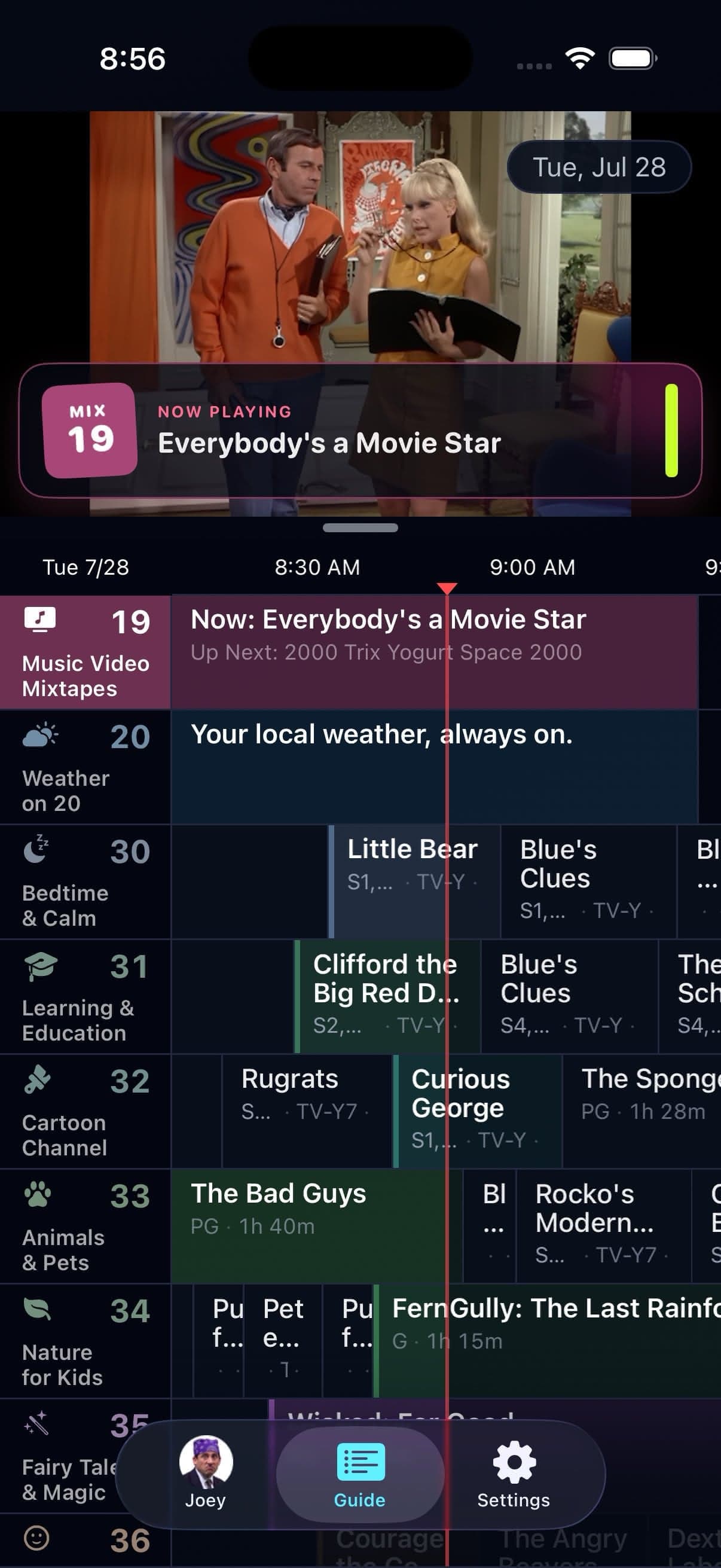
Music Video Mixtapes turns the videos already on your Plex server into a personal channel 19. Pick the sources, balance the mix, and let the next video arrive without another decision.

Choose Plex music-video playlists, collections, and video libraries, then balance how often each one appears.
Artist spacing helps keep the same performer from returning too quickly.
Optional Song IDs, Fresh Drop picks, Artist Spotlight sets, and a dedicated Bumper Group make the station feel programmed.
In the app

Signal 01
A Plex music video collection can be rich and still be awkward to browse one clip at a time. Channel 19 converts the sources you choose into a continuous schedule with full-screen playback and guide presence.
The feature does not provide a music video catalog. It schedules videos already available through your selected Plex server.
Signal 02
Source balance keeps one playlist or library from taking over. Artist spacing reduces back-to-back repetition. Fresh Drop can favor recent additions, while Artist Spotlight builds short runs around one performer.
Song IDs can show useful on-screen identification, and channel 19 can use its own Ad Bumper group and break cadence. Background Audio policies on iPhone and iPad can let the station continue when you leave the app.
Good to know
Channel 19 is included in the always-free Basic package. Its programming still requires compatible music videos on the selected Plex server.
Quick answers
No. Channel 19 uses music videos from the Plex playlists, collections, and video libraries you select.
Yes on iPhone and iPad when its separate Background Audio policy permits it.
Keep looking
Radio should not stop because you locked your iPhone. Bunny Ears TV lets eligible audio continue in the background and through the active audio route, including connected car audio.
IDA station break can make a personal channel feel programmed. Bunny Ears TV+ turns a Plex playlist, collection, or video library of short clips into reusable Bumper Groups.
EPGA personal library becomes television when the clock matters. Bunny Ears TV schedules eligible movies, shows, music, custom stations, and utility channels into a guide that is already moving when you arrive.
The 26-channel Basic package is free forever. Bunny Ears TV+ adds more channels, more features, and more fun. Download the app to start watching.