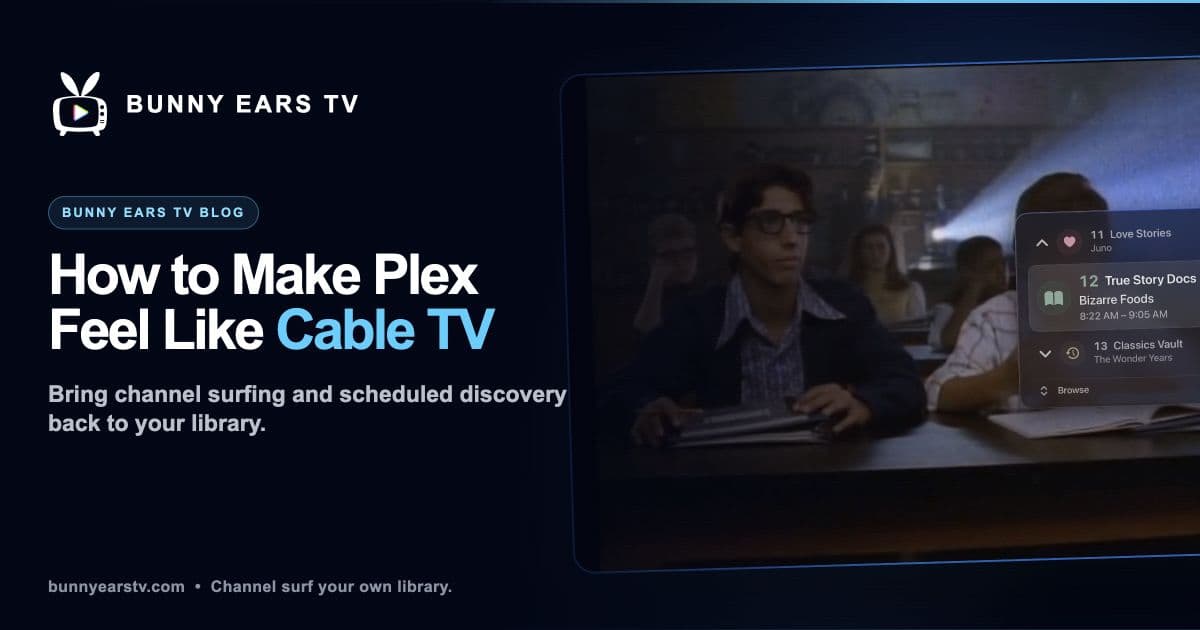
There is a specific feeling Plex does not naturally recreate. You sit down, turn on the television, and something is already playing. You did not pick it from a wall of posters. You either stay or change the channel.
Cable got that part right. Plex is excellent when you know the title you want. It is less helpful at the end of a long day when choosing is the problem.
Here is how to bring back the useful parts of cable with media already in your Plex library.
Start With the Human Problem
A Plex home screen asks you to make a fresh decision every time. Search, scan the rows, read a synopsis, check the runtime, then decide whether you are in the mood.
A channel asks a smaller question: keep watching or move on?
That difference is why a scheduled channel can surface an old movie that you have ignored for years. The movie did not change. The amount of commitment required to start it did.
Step 1: Clean the Metadata That Matters
Virtual channels need enough information to decide where a title belongs. Check the fields that have the greatest effect:
- Media type
- Genre
- Release year
- Content rating
- Collections and playlists you intend to use
Fix obvious mistakes, but do not turn the exercise into a month-long cataloging project. A few broad, well-populated channels are more useful than dozens of brittle rules.
Content ratings deserve extra attention in a household with children. Generated channels reflect Plex metadata and profile permissions. They are not a substitute for checking the source ratings and using the right Plex Home profile.
Step 2: Try a Plex Playlist
A shuffled Plex playlist is the quickest approximation of a channel. Make one broad playlist, press play, and let it continue while you cook or work.
This gives you background television, but not channel surfing. There is no time-based program guide and switching themes still means returning to the Plex interface. It is a useful test: if a hands-off queue changes how you watch, a real virtual-channel setup may be worth the next step.
Plex playlists and collections can also become sources for custom Bunny Ears TV channels.
Step 3: Choose a Virtual Channel Approach
There are two broad models.
A server-side channel system
ErsatzTV and Tunarr run alongside your media setup and produce streams for IPTV-compatible clients. They offer detailed scheduling and can serve several kinds of playback devices.
Docker is one installation choice, not the only one. ErsatzTV documents Docker and native packages, while Tunarr documents Docker and standalone binaries. I reviewed both official installation pages on July 27, 2026.
This route suits someone who wants to control specific time blocks, filler, playout order, and client delivery. It also adds software that you need to configure, monitor, and update.
A native app connected to Plex
Bunny Ears TV runs natively on Apple TV, iPhone, and iPad. It does not require a separate Bunny Ears TV server, M3U playlist, XMLTV file, or Docker container. You still need to link Plex, choose a profile, server, and libraries, and wait for the guide to sync.
I built Bunny Ears TV. My bias is obvious, so the useful comparison is about tradeoffs rather than a claim that one tool wins.
Bunny Ears TV includes more than 400 built-in channels across 17 packages. That total includes 68 Radio stations. It also supports custom channels made from a Plex playlist, collection, or selected video library. What it does not provide is the granular, server-side time-block scheduling available in tools such as ErsatzTV.
The virtual-channel comparison goes deeper.
Step 4: Make the Guide Do Some Work
A useful guide answers three questions quickly:
- What is on now?
- What follows it?
- Is there something more interesting one channel away?
Bunny Ears TV keeps up to four hours of recent programming and looks 28 hours ahead. Channel Surfer lets you browse a candidate channel before confirming the switch by default. The guide preview is audible by default, which feels closer to flipping through television but can be changed in settings.
Do not try to inspect all of the built-in channels every night. Favorite the ones that reliably fit your library and hide or filter the rest. Your personal lineup matters more than the headline count.
Step 5: Build the Channels Your Household Recognizes
The most convincing virtual channels are specific enough to suggest a mood and broad enough to keep playing.
A household might keep:
- A sitcom channel for dinner
- A late-night movie channel
- A documentary channel for weekend mornings
- A playlist-backed channel for one director or franchise
- A music-video channel built from favorite collections
Bunny Ears TV reserves channels 700 through 999 for up to 300 custom channels. Channel 19, Music Video Mixtapes, can combine multiple Plex playlists, collections, and video libraries with artist spacing and source-mixing controls.
Channel 20, Weather, provides a live Apple Weather presentation and can use a Plex music library as its soundtrack. It is a weather channel, not an over-the-air television feed.
Browse the channel guide before deciding which packages fit your library.
Step 6: Use Music as Radio
If you select a Plex music library, Bunny Ears TV can build 68 Radio stations from the genres, styles, moods, artists, and eras in that library. These stations are included in the more-than-400 built-in total.
On iPhone and iPad, supported audio can continue in the background and appear in Now Playing controls. Audio quality has its own settings because a remote music stream does not need to follow the same policy as a 4K movie.
Step 7: Accept the Difference From Broadcast TV
A virtual channel is scheduled playback from your personal library. It is not a tuner, news feed, sports service, or source of licensed programming.
That distinction is useful. You control the source material, but the experience is only as varied as the selected libraries. A specialized channel may be thin. Metadata may be imperfect. Remote playback may be limited by network conditions or Plex account requirements.
Bunny Ears TV can use Direct Play, Direct Stream, or Plex transcoding depending on the media, device, quality choice, and connection route. There is no honest promise that every file will play the same way.
What It Costs to Try
The Basic package contains 26 channels and does not expire.
Current US Bunny Ears TV+ prices, reviewed July 28, 2026, are $4.99 monthly, $29.99 annually, or $99.99 for lifetime access. Eligible customers can receive a 14-day introductory offer on monthly or annual plans. Store pricing and eligibility can vary.
Apple TV requires an Apple TV 4K, first generation or newer, with tvOS 26. The native mobile apps require iOS 26 or iPadOS 26.
The Habit to Change
Do not open a catalog first. Open a guide.
If the first channel does not fit, move one channel. If an old movie is halfway through and catches your attention, stay. You already built the library. The point is to stop auditioning every title before you let one play.